
Shoppers can't touch your product online.
They can't pick it up, turn it around or see how big it really is. So they hesitate. And a hesitant shopper usually leaves.
A good product video fixes that. In a few seconds it shows the size, the texture, how it works and who it's for. It answers questions before anyone has to ask.
The problem is that product videos used to be slow and expensive. Cameras, lighting, editing and actors added up fast. Not anymore.
In this guide you'll learn the 6 product videos every store needs, what makes them convert, how long each one should be and how to make them in minutes from a product link with Vidicom.
Why Product Videos Sell
Photos show what a product looks like. Video shows what it's like to own.
A ten second clip of a mug keeping coffee hot, a backpack being packed or a helmet clicking shut tells a shopper more than ten photos. It builds trust because it feels real.
Video also travels. The same clip can live on your product page, run as an ad, go viral on TikTok and rank on YouTube and Google. Search engines and AI search tools love video too, so a product video can bring in buyers who would never have found your store.
Big brands know this. That's why their listings, ads and social feeds are full of video. The good news is that small stores can now do the same thing.
The 6 Product Videos Every Store Needs
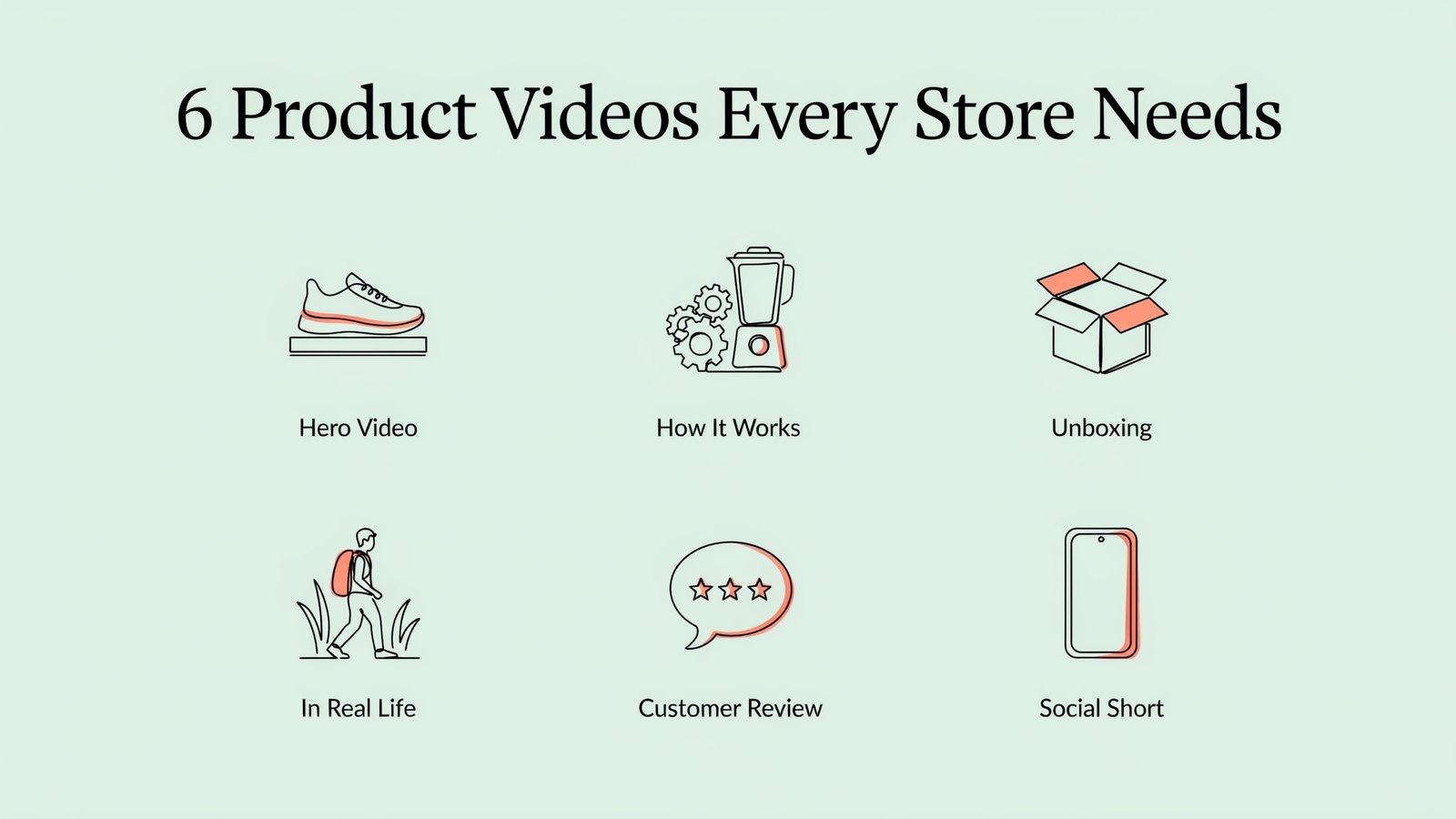
You don't need all six on day one. But the more of these you have, the more questions you answer and the more places you can show up.
1. Hero Video
A short, polished clip that shows off the product at its best. It sits at the top of your product page and works as the opener for ads.
2. How It Works
A simple demo that shows the product in action. Perfect for gadgets, tools, kitchen products and anything with a learning curve.
3. Unboxing
Shows exactly what arrives in the box. It sets expectations, reduces returns and builds excitement.
4. In Real Life
The product being used in a real setting. A backpack on a hike, a lamp in a cozy room, a dress on a night out. This helps shoppers imagine it in their life.
5. Customer Review
A short testimonial or user generated content (UGC) style clip. Real looking people talking about real results build trust like nothing else.
6. Social Short
A fast, vertical clip built for TikTok, Instagram Reels and YouTube Shorts. It hooks people in the feed and sends them to your store.
What Makes a Product Video Convert?
A pretty video isn't always a selling video. The ones that convert share a few habits.
- A strong hook in the first two seconds. Start with the most surprising or satisfying moment, not your logo.
- The product in use. Show hands, people and real situations, not just a spinning product on white.
- Benefits before features. "Keeps coffee hot for 3 hours" beats "double-wall stainless steel".
- Captions on screen. Many people watch with the sound off, especially on social media.
- One clear message. Each video should sell one main idea.
- A clear next step. End with "Shop now", "Get yours" or a discount code.
A Simple Product Video Script Formula
Most winning product videos follow the same five beats. Use them whether you write the script yourself or let AI do it.
- Hook. Grab attention with a bold claim, a question or a satisfying moment.
- Problem. Show the everyday annoyance your product solves.
- Product. Reveal the product and show it working.
- Proof. Add a result, a review, a number or a quick before and after.
- Push. Tell viewers exactly what to do next.
Here's how that sounds for a 20 second mug video.
- Hook. "This coffee was poured three hours ago."
- Problem. "Normal mugs go cold before your first meeting ends."
- Product. "This one keeps it hot all morning, just set your favorite temperature."
- Proof. "Over 2,000 five star reviews from busy people like you."
- Push. "Tap to get yours before the holiday rush."
Simple, right? Each line does one job, and together they move a viewer from curious to ready to buy. Keep your own numbers honest, and only use reviews and results you really have.
How Long Should a Product Video Be?
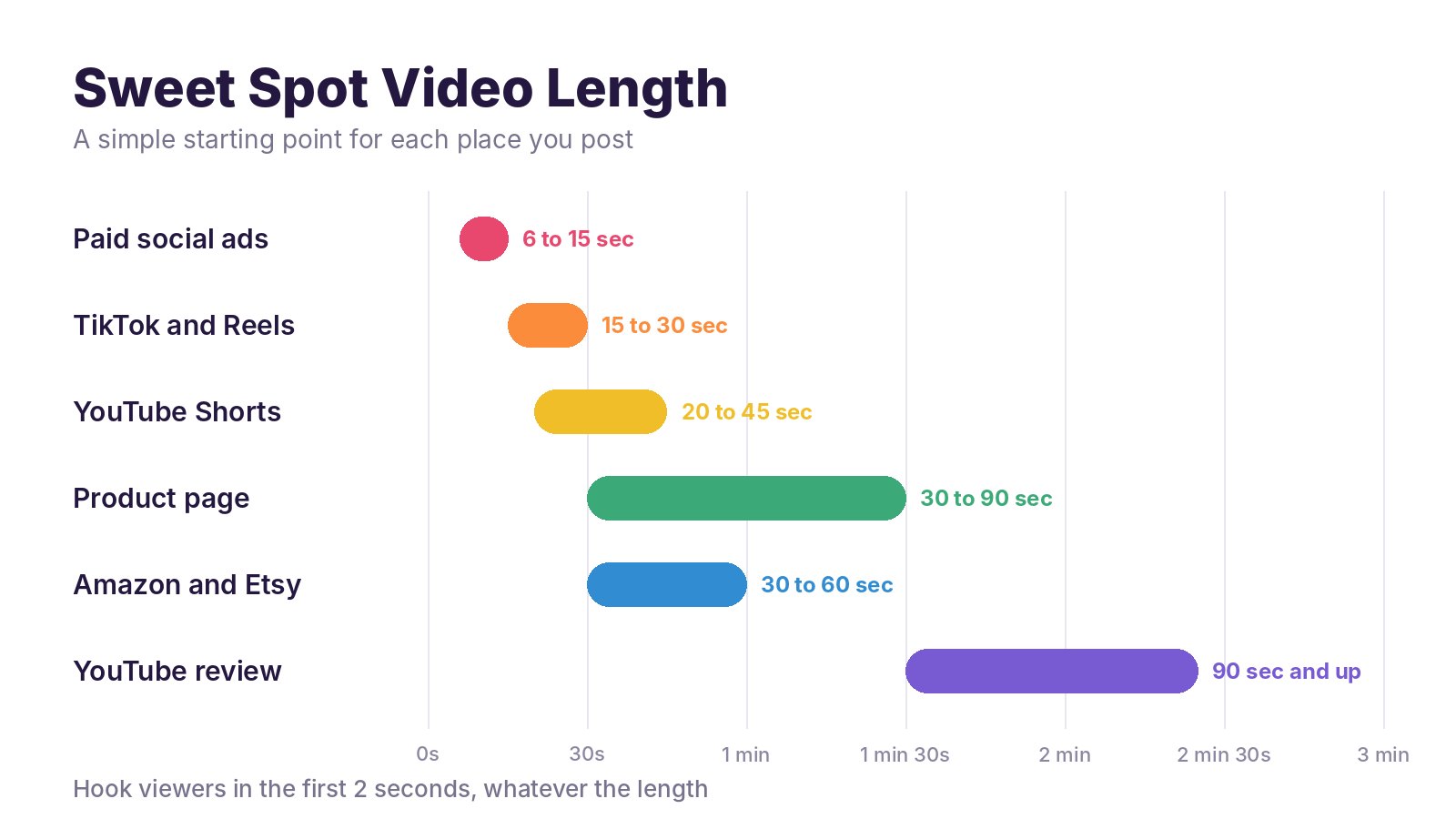
There's no perfect length, but there are good starting points. Short wins in the feed. A little longer works on a product page, where shoppers are already interested.
The shape of the video matters too.
| Where It Plays | Best Shape | Why |
|---|---|---|
| TikTok, Reels and Shorts | Vertical (9 by 16) | Fills the whole phone screen |
| Facebook and Instagram feed | Square (1 by 1) or vertical (4 by 5) | Takes up more space while scrolling |
| Product page | Square or wide | Fits the product image gallery |
| YouTube and your website | Wide (16 by 9) | Standard for desktop and TV viewing |
Whatever the length, the first two seconds do most of the work. If they don't grab attention, the rest won't be seen.
The Old Way vs the AI Way
Here's what a single product video used to involve.
- Write a script and plan the shots
- Hire a videographer, rent lights and book a location
- Find models or actors for lifestyle shots
- Wait days or weeks for editing
- Pay again for every new version or language
That's fine for a brand launching one hero product a year. It doesn't work for a store with fifty products, or a seller who wants to test new angles every week.
AI product video tools flip this around. You give them the product, they write the script, create the visuals, add music and voice and hand you a finished video. Then you can make ten more versions without paying a crew ten more times.
How to Make Product Videos With Vidicom, Step by Step

Vidicom is an AI video department built for ecommerce. Its big idea is simple. Paste your product URL, get your video.
No camera, no editing, no design skills. It works for Shopify stores, Amazon and Etsy listings, your own website and affiliate products.
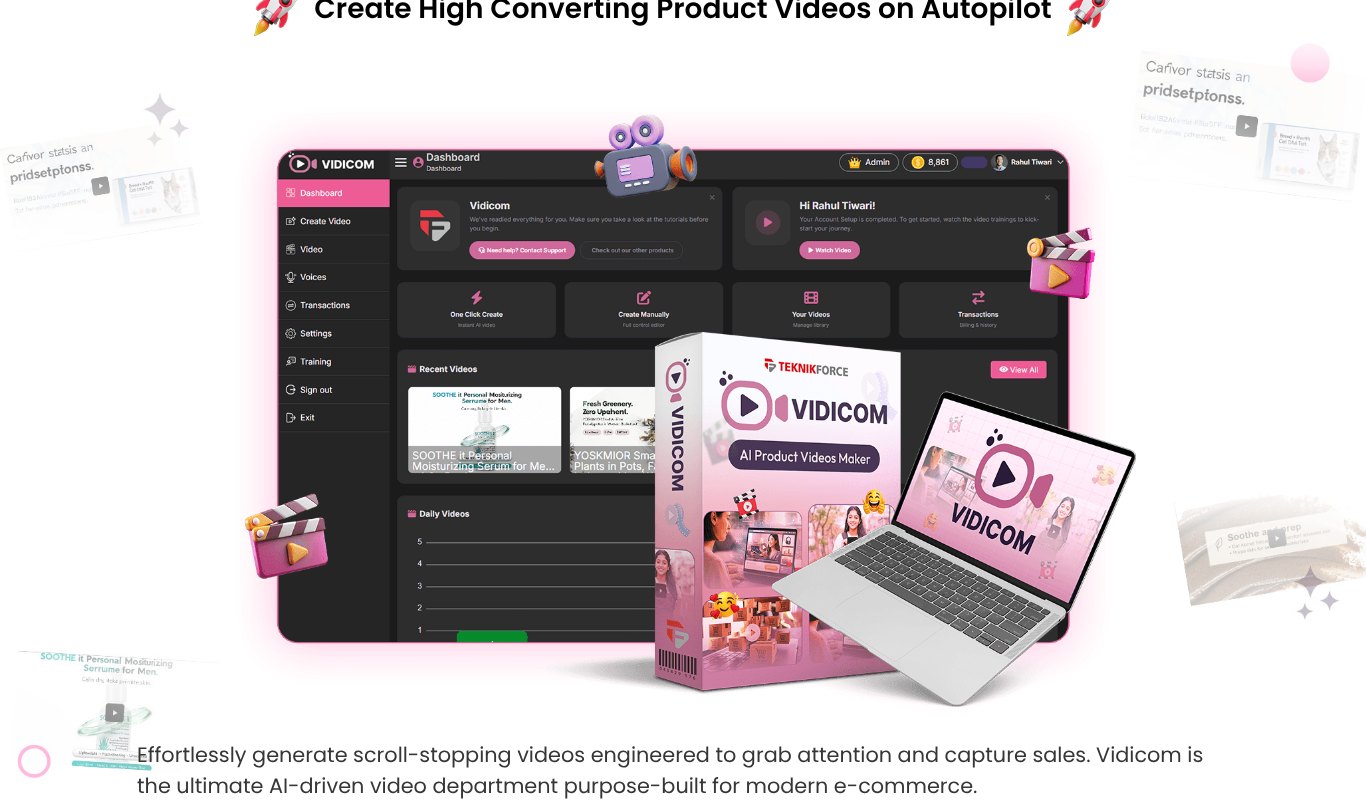
Here's how it works.
- Paste your product link. Drop in the URL of your product or sales page. Vidicom pulls out the product name, images, features and selling points.
- Pick the kind of video. A promo, an explainer, a UGC style review, a lifestyle video showing the product in a real setting, or a social short.
- Choose your audience and language. Make versions for different customer groups and countries.
- Let the AI build it. Vidicom writes the script, creates the visuals, animates them and puts the video together.
- Add music. Pick a track from the built-in library, upload your own or create an original track.
- Review and tweak. Check the message, the hook and the call to action.
- Export and publish. Download in the shape you need and post it to your store, ads and social channels.
Here's a sample Vidicom made for a smart mug.
And another for a motorcycle helmet.
Vidicom is $5.58 a month, paid yearly ($67 a year), or $6.99 month to month, with a 30 day refund. Agencies and freelancers can also use it to offer product video services to clients.
Test Different Angles
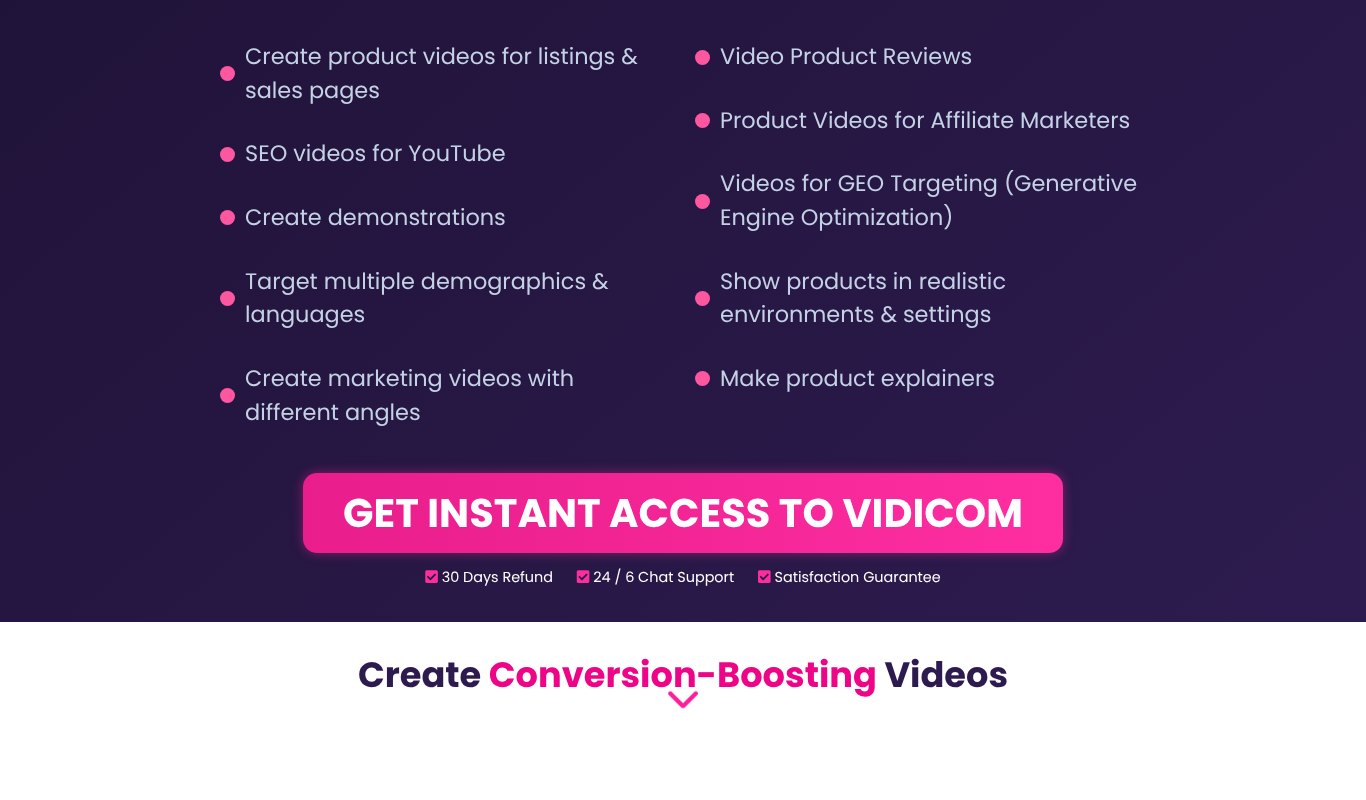
Here's where AI video really shines. When each video takes minutes instead of weeks, you can test ideas the way big brands do.
Take one product and make three videos, each with a different angle.
- The problem angle. "Tired of cold coffee by 9 am?"
- The gift angle. "The gift every coffee lover secretly wants."
- The proof angle. "Still hot after 3 hours. Watch."
Run all three as ads with a small budget. Keep the winner and turn it into your main product page video. You can do the same with different audiences, like students, parents or busy professionals, and different languages.
Where to Post Your Product Videos
One video can work in many places. Get the most from each one.
- Your product page. Put the hero or how it works video near the top of the image gallery.
- Amazon and Etsy listings. Both let sellers add video to listings.
- TikTok, Reels and Shorts. Post social shorts often. Consistency beats perfection.
- YouTube. Longer reviews and how to videos can rank in YouTube and Google search for months.
- Paid ads. Use your best performing shorts as ads on Facebook, Instagram and TikTok.
- Email. A thumbnail with a play button gets more clicks than a plain product image.
How to Know Your Videos Are Working
Don't judge a video by how it looks. Judge it by what it does. Check these numbers every couple of weeks.
- Hook rate. How many people watch past the first three seconds. If it's low, change the opening.
- Watch time. How long people stay. A big drop at one point shows you what to cut.
- Click through rate. How many viewers tap through to your store.
- Add to cart and sales. Compare product pages with and without video, or before and after you added it.
- Cost per sale on ads. The best video is the one that brings in buyers for the lowest cost.
When one angle clearly wins, make more videos like it. When one flops, don't panic. Swap the hook and try again. With AI doing the heavy lifting, a new version is only minutes away.
Common Mistakes to Avoid
Starting slow. A logo animation or a long intro loses viewers before the product even appears.
Only showing the product on white. Studio shots look nice, but lifestyle clips sell the feeling.
No captions. If your video needs sound to make sense, many viewers will miss the point.
One video for everything. A wide YouTube video looks tiny on TikTok. Make a version for each shape.
Forgetting the call to action. Tell people what to do next, every single time.
Making one video and stopping. Fresh videos keep your social feeds alive and give you more chances to find a winner.
Frequently Asked Questions
Do product videos really increase sales?
Yes, for most stores. Videos answer questions that photos can't, which builds trust and reduces doubt. Many sellers see better add to cart rates and fewer returns once they add video.
How much does a product video cost?
A traditional shoot can cost hundreds or thousands of dollars per video. With an AI tool like Vidicom, you can make as many as you need for $5.58 a month, paid yearly.
Can I make product videos without filming anything?
Yes. Vidicom creates videos from your product page, using AI to write the script and create and animate the visuals. No camera needed.
What is the best length for a product video?
About 15 to 30 seconds for social media, 6 to 15 seconds for most ads and 30 to 90 seconds for a product page.
Can I use AI product videos for affiliate products?
Yes. Vidicom works from any product URL, so affiliate marketers can create review and promo videos for the products they recommend.
Do product videos need a voiceover?
Not always. Many social videos work with music and on-screen text alone, since lots of people watch on mute. A voiceover helps more in longer explainers and YouTube reviews.
How many product videos should I make?
Start with two for your best seller, a hero video and a social short. Then aim for at least one fresh video a week across your store, so your feeds and ads never go stale.
Final Thoughts
Product videos used to be a luxury for big brands. Now they're one of the easiest upgrades any store can make.
Start with a hero video and a social short for your best seller. Watch what happens. Then add more types and test new angles.
Want to compare tools first? See our list of the best AI product video generators for ecommerce. Ready to start? Try Vidicom, paste a product link and get your first video in minutes.